
Business phone systems
Phone systems designed around how you handle calls
Every system we install starts with solution design based on your individual requirements. An engineer reviews how calls reach your business, who answers them, where your staff work and what your network can support, then recommends the platform and handsets that fit.
✓ Hosted, on-site and hybrid ✓ Number porting included ✓ Installed and supported by our engineers
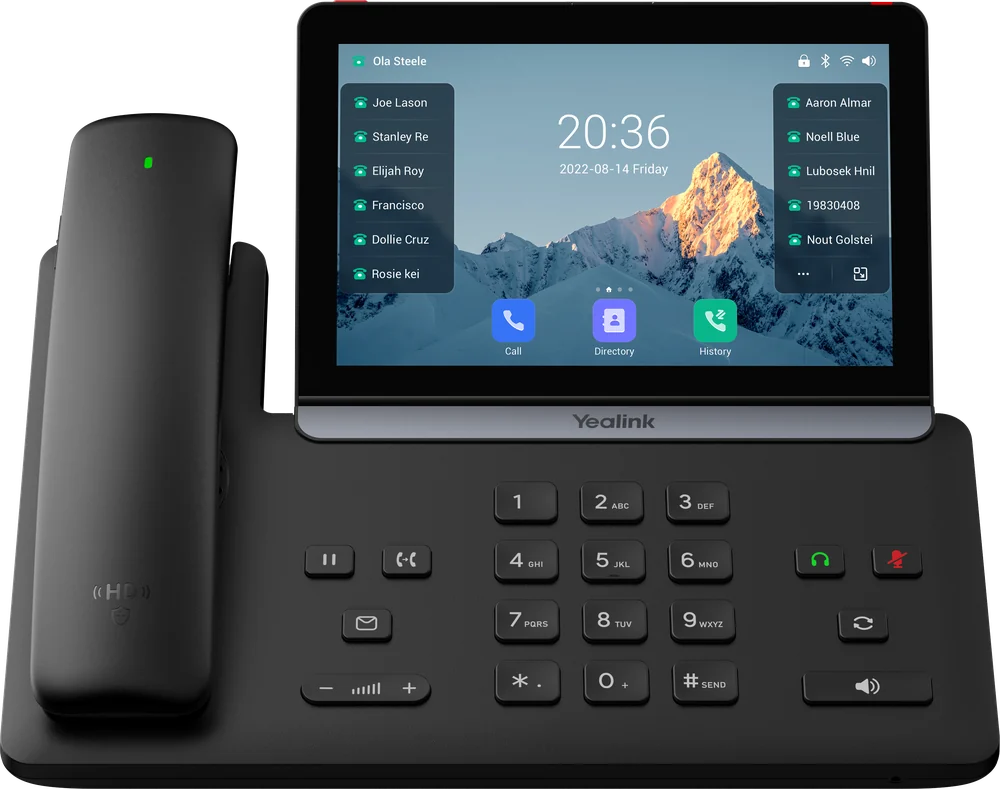
Yealink T88W Pro
7-inch touchscreen, Wi-Fi and Bluetooth
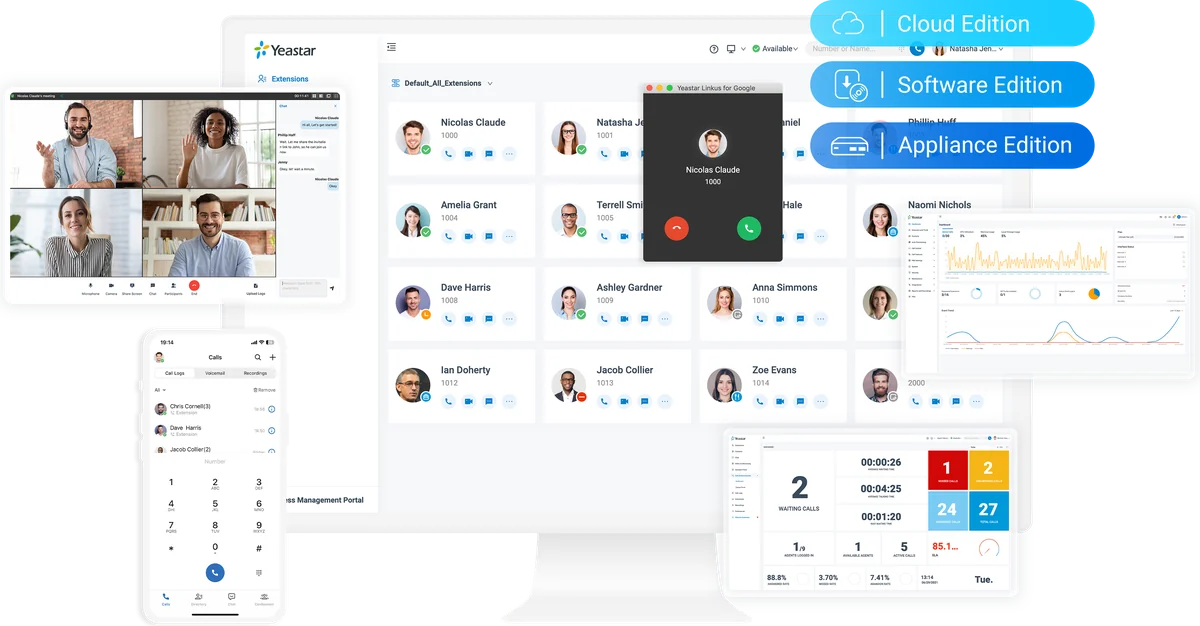
One extension, any device
Desk phone, laptop and mobile
Gamma
Technical Alliance Partner
Yeastar
Certified Experts
Finalist
Comms Business Awards 2023
09:00 to 17:15
Monday to Friday, out of hours by arrangement
Solution design
Solution design based on your individual requirements
Every organisation handles calls a little differently, so we do not start with a product. We start with how your business works today and what it needs to do differently.
- Call volumes, peak times and how callers should be routed
- Departments, hunt groups, queues and out-of-hours handling
- Office, remote and hybrid working patterns
- Existing handsets and hardware worth keeping
- CRM, helpdesk and Microsoft Teams integration
- Network readiness, resilience and number porting
The outcome is a written design: platform, call flows, handsets, network changes and costs, agreed with you before anything is installed.
Platform options
Hosted, on-site or hybrid
The right architecture depends on the number of sites and users, existing hardware, integration needs and how much resilience is required.
Hosted: Gamma Horizon
The phone system runs in Gamma’s UK data centres. There is no on-site server, licensing is per user and resilience is built into the platform. Suits most single and multi-site organisations.
Hosted: Yeastar P-Series Cloud Edition
The full Yeastar feature set delivered from the cloud, with no on-site server. The same interface and Linkus apps as the on-site system, with built-in contact centre tools, CRM integration and messaging.
On-site or hybrid: Yeastar appliance
A Yeastar P-Series appliance on your premises, connected over SIP trunks. Suits larger single sites, specific integration needs or where local control is preferred.
SIP trunks
Connects an existing IP-capable phone system to the network, replacing ISDN ahead of the 2027 withdrawal while keeping your current system.
| Hosted (Gamma Horizon) | Hosted (Yeastar Cloud Edition) | On-site (Yeastar appliance) | SIP trunks | |
|---|---|---|---|---|
| On-site hardware | Handsets only | Handsets only | Appliance and handsets | Existing system |
| Upfront cost | Low | Low | Moderate | Low |
| Licensing | Per user | Subscription by extension count | Licence and appliance | Per channel |
| Scaling | Users added in minutes | Extensions added within the plan | Within licence and hardware limits | Channels added as required |
| Resilience | Data centre redundancy and automatic divert | Cloud hosted with high availability | Local, with optional failover | Dependent on the existing system |
| Remote and mobile working | Horizon apps | Linkus apps | Linkus apps | Dependent on the existing system |
| Contact centre and CRM tools | Optional add-ons | Built in, depending on plan | Built in, depending on licence | Dependent on the existing system |
| Typically suited to | Most organisations | Teams wanting Yeastar features without on-site hardware | Larger single sites | Keeping a recent system |
Virtual numbers
A local business number without a phone system
A virtual number is a geographic number, such as a Portsmouth 023 number, that forwards incoming calls to your mobile. It suits sole traders and micro businesses that do not need a phone system but would rather not advertise a mobile number. You pay a small monthly charge for the number and low per-minute charges for forwarded calls, which usually works out cheaper than a hosted phone system user.
Local geographic number
A number with a local area code, so customers see a local business rather than a mobile number.
Forwards to your mobile
Calls ring your existing mobile wherever you are, with no extra hardware to install.
Auto attendant
Greet callers with a recorded welcome and menu options before the call reaches you.
Voicemail
Callers can leave a message when you cannot answer, so enquiries are not lost.
Scheduled hours
Different routing and messages in and out of business hours, at weekends and on holidays.
Call recording
Incoming calls can be recorded for training, quality or record keeping.
| Virtual number | Hosted phone system user | |
|---|---|---|
| Receive calls on a business number | Yes, forwarded to your mobile | Yes, on desk phones, apps and mobiles |
| Make calls showing the business number | No, incoming calls only | Yes |
| Auto attendant, voicemail and scheduled hours | Yes | Yes |
| Call recording | Available | Available |
| Cost | Small monthly charge for the number, plus low per-minute forwarding charges | Monthly charge per user |
| Typically suited to | Sole traders and micro businesses taking calls on one mobile | Teams that make and take calls as a business |
If you later need to make calls from your business number, talk to us about moving it onto a hosted phone system.
Yeastar P-Series
One platform, three ways to deploy
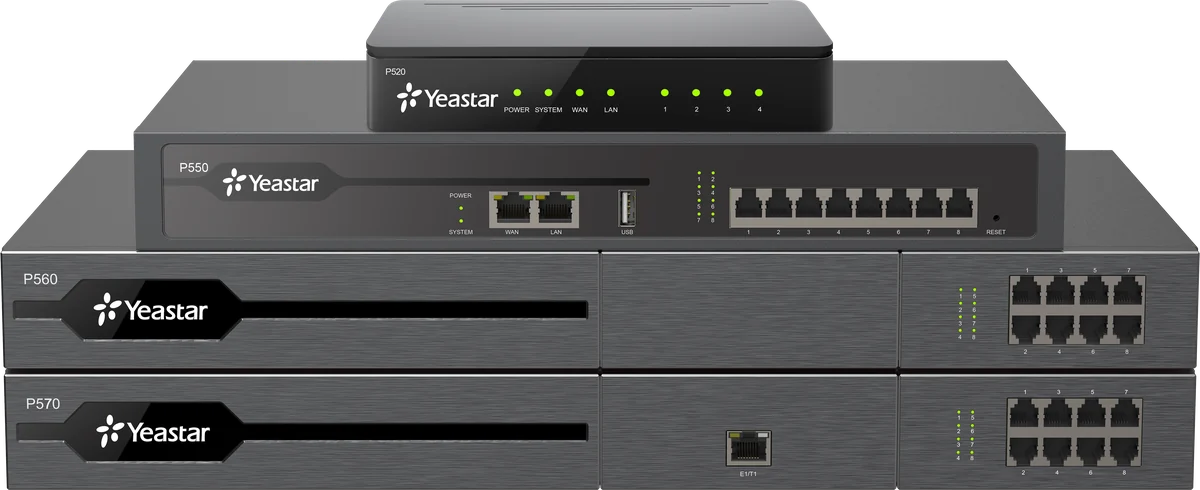
Yeastar P-Series runs the same software whether it is hosted in the cloud, installed on your own server or delivered on a dedicated appliance. Users get the same Linkus apps and features in each case, so a business can start in the cloud and move on site later, or the reverse, without retraining staff.
- Cloud Edition: hosted, no on-site hardware
- Software Edition: runs on your own server or virtual environment
- Appliance Edition: P520, P550, P560 and P570 units on site
As Yeastar Certified Experts, our engineers design, install and support P-Series systems across all three editions.
Capabilities
Standard and optional features
Core features are included with every system. Optional features are enabled where they meet a defined requirement.
Softphone and mobile apps
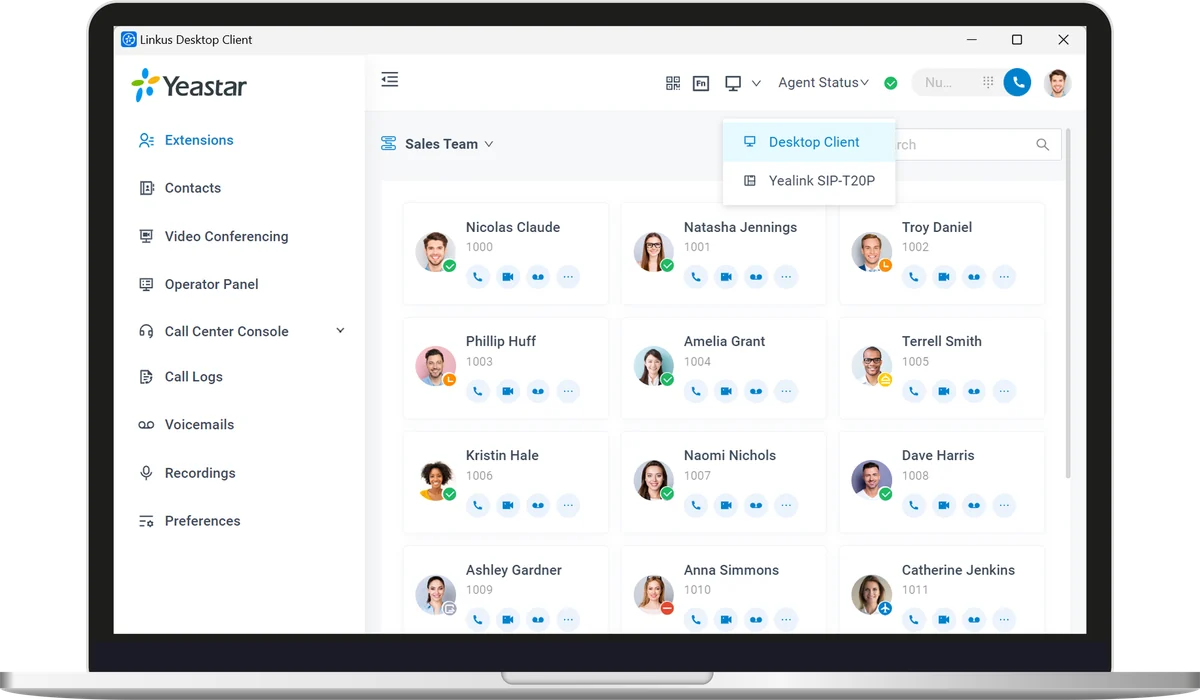
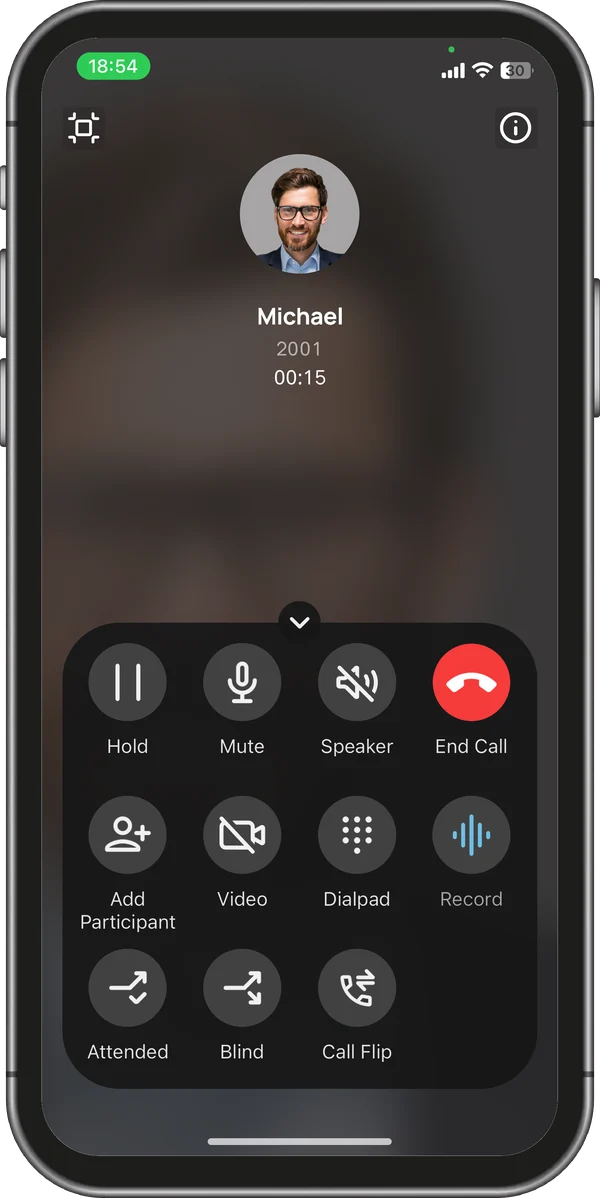
Linkus and Horizon apps present your business number from laptops and mobiles, with presence, chat and call transfer.
Call routing and IVR
Hunt groups, queues, time-of-day routing and multi-level IVR menus, designed with your team.
Call recording
Automatic or on-demand recording, with secure storage and search by date, number or extension.
Operator panel
A real-time view of extension status, with drag-and-drop transfer for reception and supervisors.
SMS, WhatsApp and web chat
Customer messages from SMS, WhatsApp and your website chat handled on the same platform as voice on Yeastar systems.
CRM and Microsoft Teams
Screen popping and automatic call logging in your CRM, and business calls made and received within Teams.
Handsets
Yealink desk phones
We supply and configure Yealink handsets to suit each role, from reception and management to general office use. Handsets are provisioned before installation, so they work as soon as they are plugged in.
Yealink T88W Pro
7-inch touchscreen with Wi-Fi and Bluetooth. Suited to managers and heavy phone users.
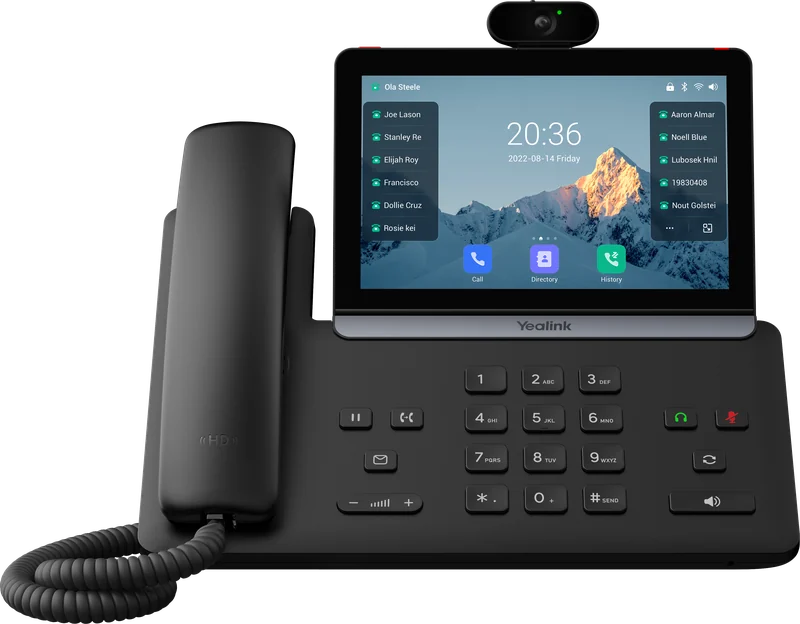
Yealink T88V
Touchscreen handset with a built-in camera for video calls.
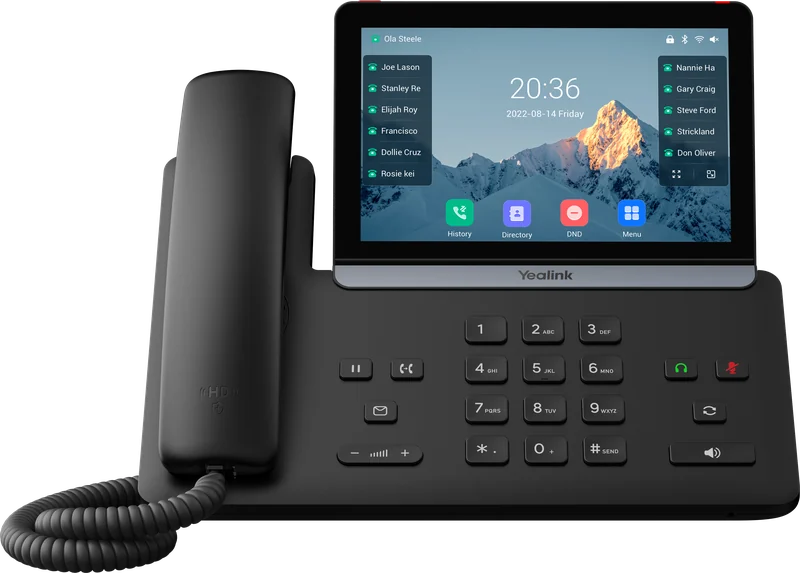
Yealink T87
Large colour touchscreen for busy users and team leaders.
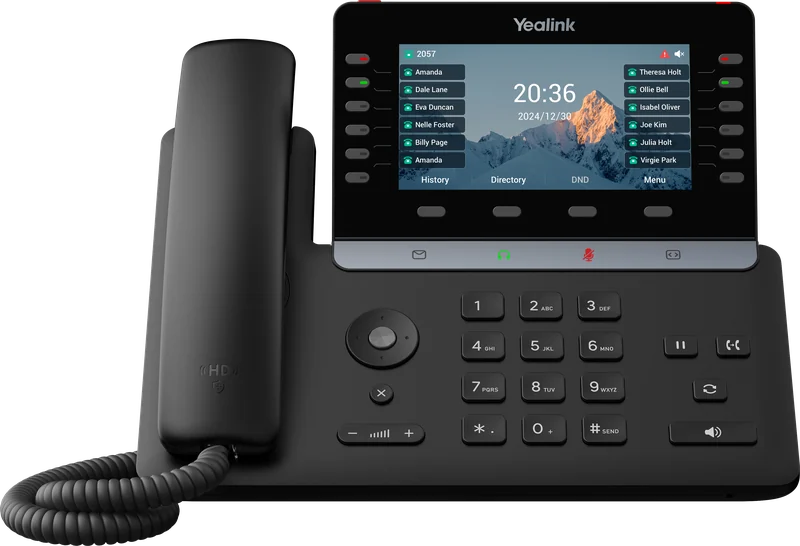
Yealink T85
Colour display with programmable line keys for everyday office use.
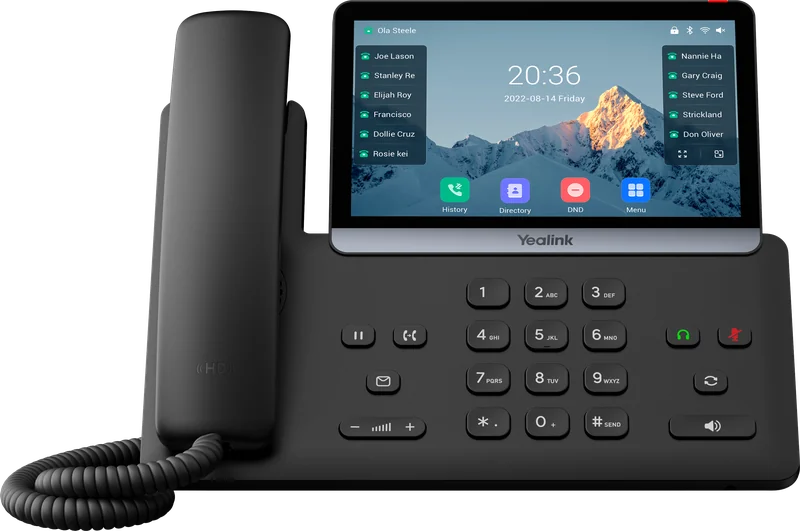
Yealink T77
Large colour display from the Yealink T7 series.
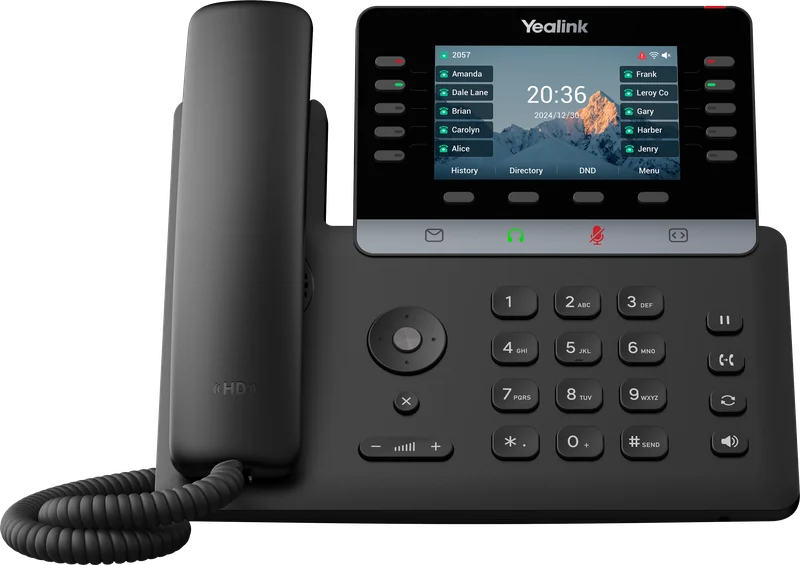
Yealink T74
Colour display and navigation keys for general office use.
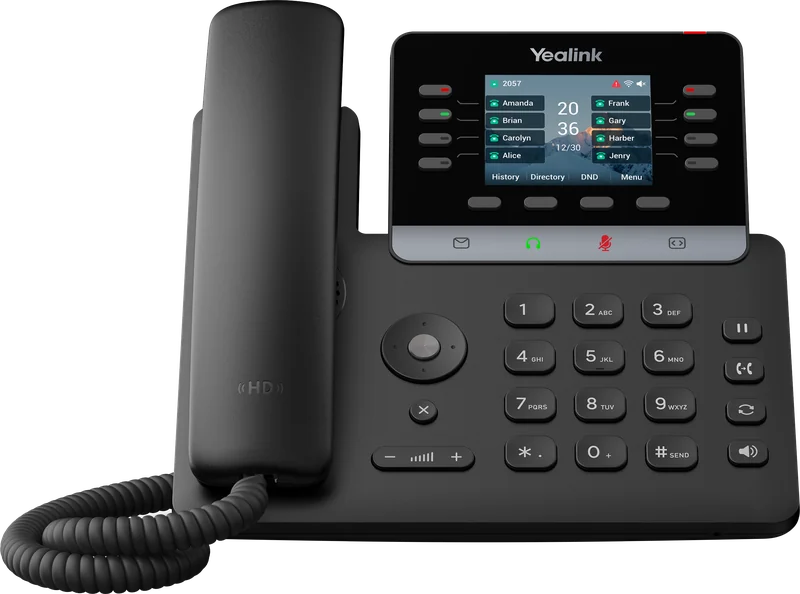
Yealink T73
A dependable entry-level handset with a colour display.
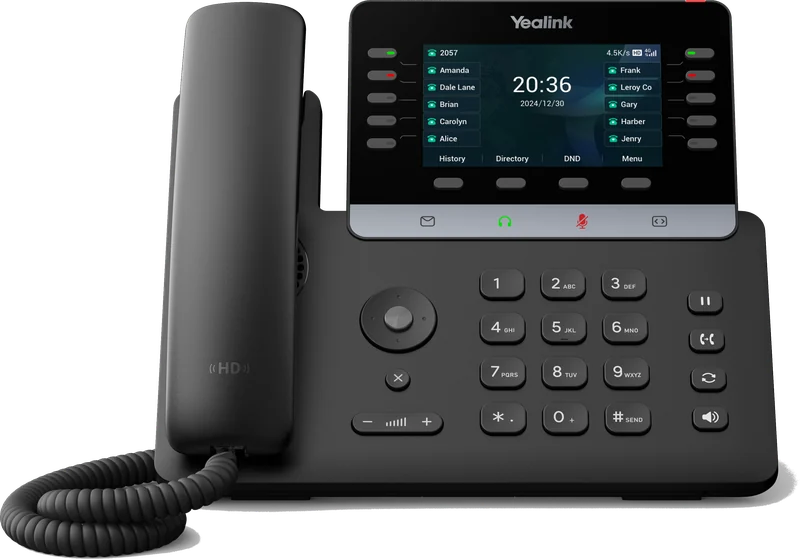
Yealink T74 LTE
Built-in 4G LTE, for locations without a fixed connection.
Cordless and reception
Cordless phones and reception equipment
For staff who move around the building, and for reception desks handling a high volume of calls.
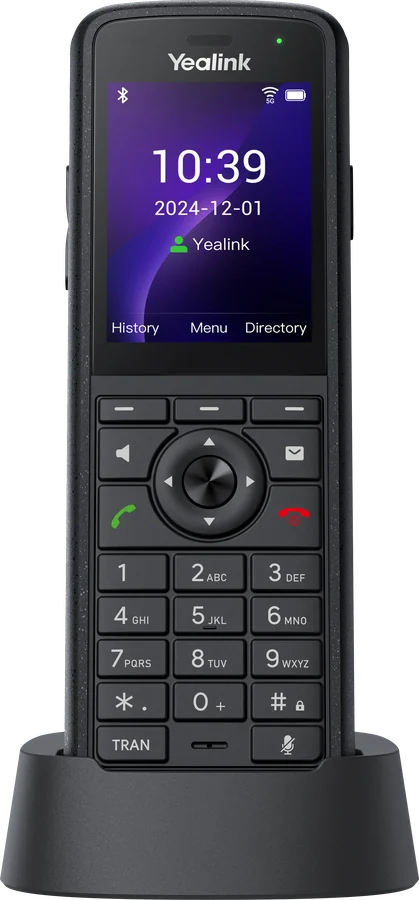
Yealink AX86R
Rugged Wi-Fi handset with push-to-talk and an emergency alarm key, for staff working alone or on site.
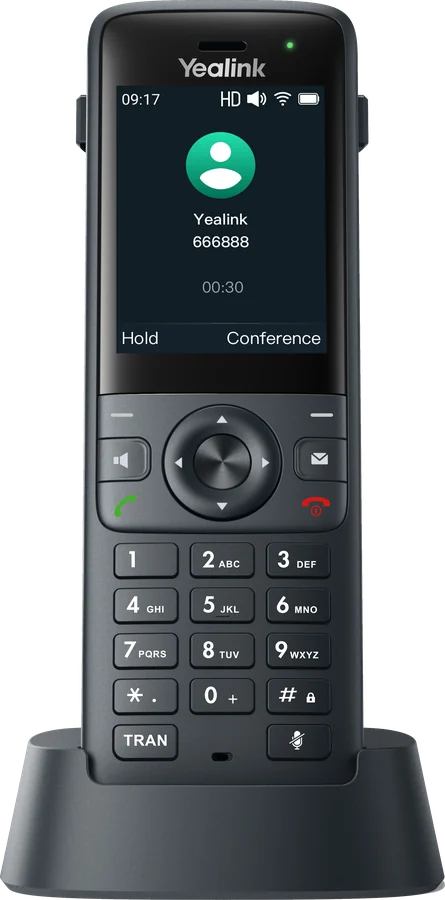
Yealink AX83H
Compact Wi-Fi handset that connects to your office wireless network, with no base station needed.
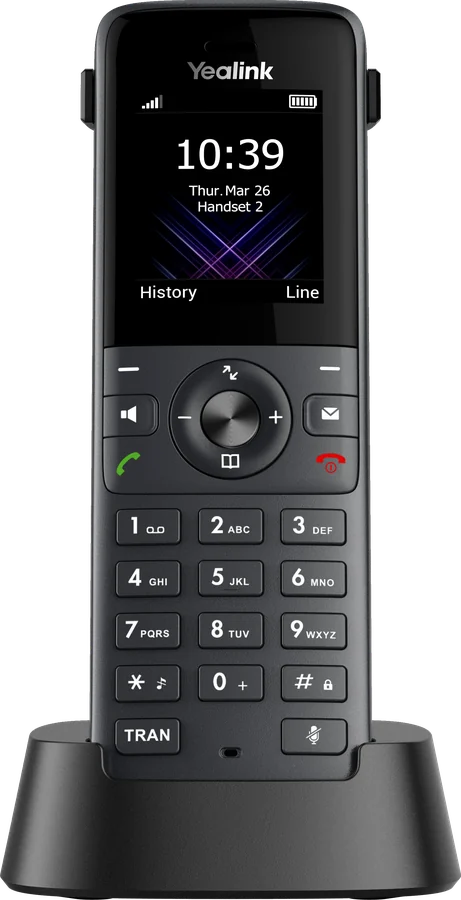
Yealink W73H
Cordless handset for offices, shops and workshops.
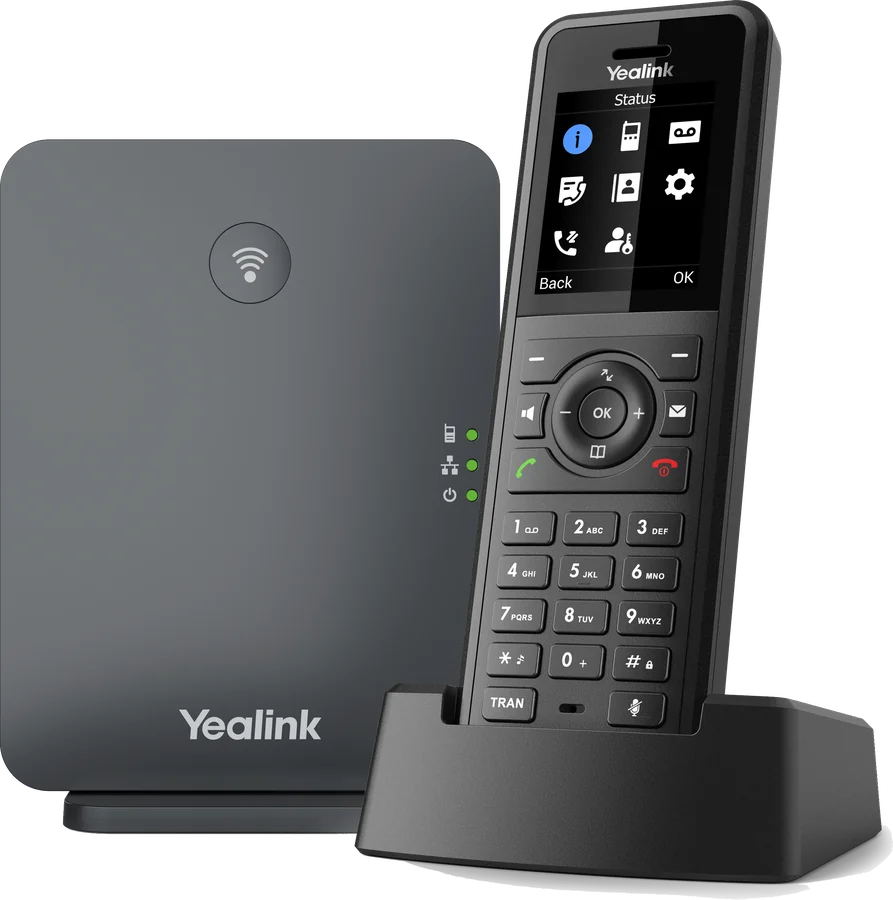
Yealink W77P
Rugged W57R handset and W70B base station, supplied as a kit.
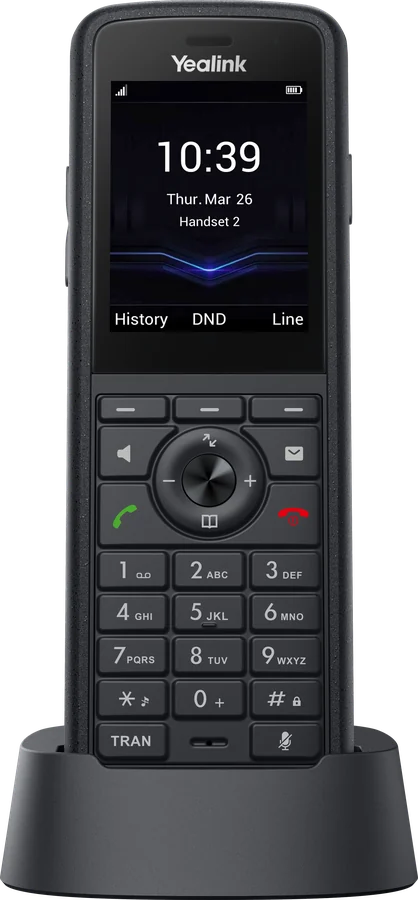
Yealink W59R Pro
Rugged handset with an emergency alarm button, for warehouses, sites and lone workers.
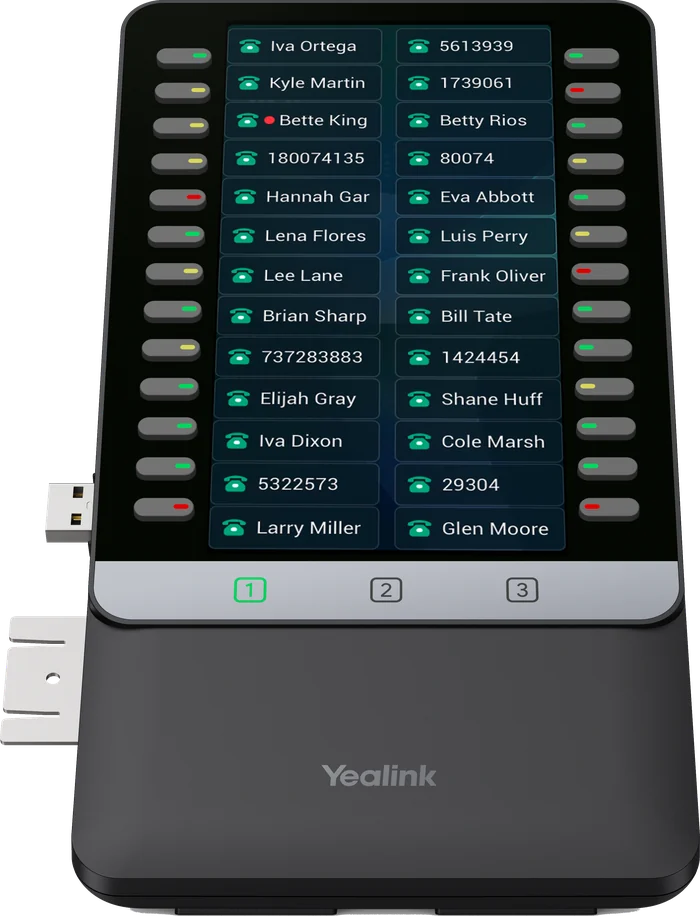
Yealink EXP55
Expansion module adding programmable keys to a desk phone for reception and operator positions.
Engineer’s note
Planning cordless coverage
DECT handsets connect to base stations. In larger or multi-floor buildings, several bases work together so calls continue as staff move around. We survey the building to place bases where coverage is needed, rather than relying on a single unit.
Process
From survey to support
Survey
Calls, users, network and existing equipment reviewed
Design
A solution designed around your individual requirements
Install
Handsets provisioned, numbers ported, system tested
Support
Direct access to the engineers who installed it
Engineer’s note
Network readiness
Voice quality depends on the local network. Before installation we confirm available bandwidth, apply QoS so voice traffic is prioritised, separate voice onto its own VLAN where appropriate and check Power over Ethernet capacity for the handsets.
FAQs
Frequently asked questions
Can we keep our existing numbers?
Yes. Numbers are ported to the new platform on an agreed date, with no change for callers.
Should we choose hosted or on-site?
Hosted suits most organisations because it removes on-site hardware and scales easily. On-site can be preferable for large single sites or specific integration requirements. We set out the trade-offs in the design before you decide.
What is the difference between Gamma Horizon and Yeastar Cloud Edition?
Both are hosted, so there is no phone system hardware on site. Gamma Horizon is Gamma’s UK platform and suits organisations that want a straightforward per-user service. Yeastar Cloud Edition offers the full Yeastar feature set, including the Linkus apps, contact centre tools and CRM integration, and uses the same software as the on-site appliance.
What connectivity is required?
A stable business broadband connection with enough upload capacity. As a guide, each concurrent call uses around 100kbps. We assess your connection during the survey and recommend changes only where they are needed.
How do remote staff connect?
Through the Linkus or Horizon apps on a laptop or mobile, or a desk phone at home. They appear on the system exactly as they would in the office.
How is installation scheduled?
After the design is agreed we set an installation date, provision handsets in advance and complete the cutover out of hours where required.
What support is available?
Our engineers support the system Monday to Friday, 09:00 to 17:15, with out-of-hours support available by arrangement.
What is a virtual number?
A virtual number is a geographic business number, such as a Portsmouth 023 number, that is not tied to a phone line. Incoming calls are forwarded to your mobile, with options such as an auto attendant, voicemail, scheduled hours and call recording.
Can I make calls from a virtual number?
No. A virtual number receives calls only. If you need to make calls showing your business number, a hosted phone system user is the better fit.
Request a site survey
We will review your current setup and network, then provide a written design and an itemised quotation.